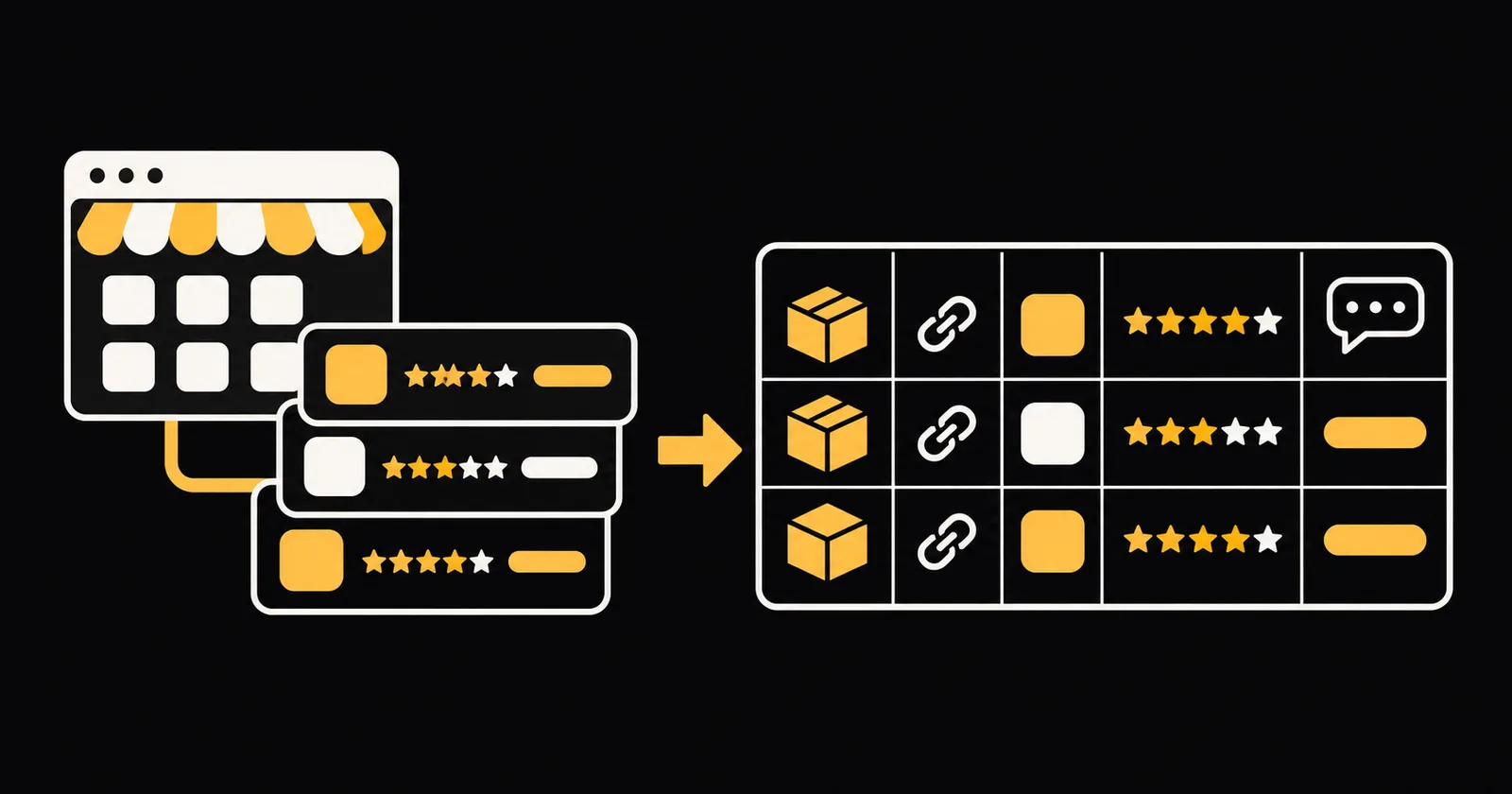
A Shopify App Store scraper turns public app listings into rows you can use to compare apps, ratings, reviews and prices for niche research. If your real question is which apps merchants use on their shops, Shopify Apps Spy + Product Scraper takes store URLs and returns product catalogs, detected storefront apps and optional public product reviews. Those are different datasets: this KazKN tool does not scrape the Shopify App Store directory or return App Store listing prices and ratings.
What Shopify App Store data do you need?
Marketplace listings and merchant storefronts answer different research questions.
| Research goal | Data source | Rows to collect |
|---|---|---|
| Compare apps listed in a niche | Public Shopify App Store pages | App details, ratings, reviews and listing prices |
| See which apps merchants use | Public merchant storefronts | Detected app names, grouped by function |
| Compare the products those merchants sell | Public storefront product data | Titles, vendors, prices, currencies, variants and images |
| Read feedback on those products | Supported storefront review providers | Review ratings, titles, bodies and dates |
Is there an official Shopify App Store API?
There is no public official API we could confirm for downloading the full Shopify App Store directory with app ratings, reviews and listing prices. Shopify's documented Admin API is different: it requires OAuth and a per-store install, and serves authorized store data rather than a public catalog of competing apps.
The KazKN actor does not use the Admin API. It reads public storefront data without a Shopify store login or store API key. For actual App Store listing data, your choices are manual collection, your own scraper or a hosted service that explicitly names the App Store directory as its source.
Manual, DIY or hosted?
1. Collect listings by hand
For a short competitor list, open each App Store listing and copy the app details, rating, price information and relevant reviews into a spreadsheet. Add the source URL and collection date so you can check the context later.
This is a sensible way to verify a small niche. It also lets you read pricing conditions and review text instead of reducing every listing to a number. The drawback is repetitive work when you track many apps or repeat the comparison later.
2. Write a DIY scraper
A Python scraper can fetch public pages and turn listing fields into CSV or JSON. For App Store research, you still need to discover the relevant listing URLs, parse each listing, handle review pagination and normalize pricing text. Storefront research has a different parser: product data, page markup and signals left by storefront apps.
In both cases, you own retries, timeouts, deduplication, selector changes and blocked responses. You also need to distinguish an empty result from a failed request. A blank app column should not quietly become proof that a store uses no apps.
3. Use a hosted tool
A hosted scraper gives you an input form, cloud execution and datasets you can download or call through an API. Before choosing an Apify Shopify App Store scraper, check whether its input expects App Store listing URLs or merchant store URLs. Those inputs lead to very different outputs.
KazKN's actor accepts merchant store URLs. It is the hosted option for catalog analysis, storefront app detection and supported product reviews, not a directory-wide listing scraper. It fits an app maker or agency that already has a list of shops to analyze.
Step by step: analyze Shopify storefronts
- Open Shopify Apps Spy + Product Scraper on KazKN.
- Paste one or more public Shopify storefront URLs into
store_urls. Custom domains and*.myshopify.comaddresses work, with up to 100 stores per run. - Choose an extraction level. Basic returns products, Standard adds detected storefront apps, and Full adds supported public product reviews. Standard is the default.
- Set
max_products_per_storeto bound the catalog. The default is 250 products per store. Keep Include Product Variants off for one row per product, or turn it on for one row per variant. - In Full mode, set the review limit per product. The actor supports Yotpo, Judge.me, Stamped, Okendo and Loox when public reviews are available.
- Start the run, then inspect the Products, Store summary, Apps detected and Reviews datasets. Export the data as JSON, CSV or Excel, or read it through the API.
- Check empty results and diagnostics before drawing conclusions. In particular, an unsupported or unavailable review provider can leave the Reviews dataset empty.
Python example with apify-client
Install the Python client, create an Apify API token and expose it as APIFY_TOKEN:
pip install apify-client
export APIFY_TOKEN="YOUR_APIFY_TOKEN"
This example uses the real minimal input, with one Allbirds storefront URL:
import os
from apify_client import ApifyClient

client = ApifyClient(os.environ["APIFY_TOKEN"])

run_input = {
    "store_urls": ["https://allbirds.com"]
}

run = client.actor("kazkn/shopify-scraper-apps-spy").call(
    run_input=run_input
)

products = client.dataset(run["defaultDatasetId"])
for row in products.iterate_items():
    print(
        row.get("store_domain"),
        row.get("product_title"),
        row.get("vendor"),
        row.get("price"),
        row.get("currency"),
    )
With this minimal input, the actor uses Standard mode and its default product limit. The default dataset contains product rows. Store summaries, detected apps and any Full-mode reviews are written to their own named datasets.
To change the workflow, add "extract_level": "basic" or "extract_level": "full" to run_input. Full mode also accepts max_reviews_per_product, while max_products_per_store controls the catalog cap.
Output fields and a real row
The actor keeps product, app and review records separate. These are the main fields across those datasets:
| Dataset | Field | What it contains |
|---|---|---|
| Products, apps and reviews | store_domain | Domain of the store the row comes from |
| Products and apps | myshopify_domain | The store's internal *.myshopify.com address |
| Products | product_title | Product name as shown on the store |
| Products | product_url | Direct link to the product page |
| Products | vendor | Brand or vendor set on the product |
| Products | price | Product price, with price_min and price_max across variants |
| Products | compare_at_price | Original price when the product is on sale |
| Products | currency | Currency of the storefront |
| Products | available_variant_count | Variants in stock, alongside total_variant_count |
| Products | image_urls | All product image links in one cell |
| Apps detected and Store summary | all_apps_raw | Every app detected on the storefront |
| Apps detected and Store summary | email_marketing | Email tools found, such as Klaviyo or Omnisend |
| Apps detected and Store summary | subscriptions | Subscription apps found, such as Recharge |
| Apps detected and Store summary | detected_count | Number of apps detected on the store |
| Reviews, in Full mode | rating | Star rating of a product review, with title, body and created_at |
Here is a real product row from Allbirds, with long text truncated:
{
  "price": "120",
  "currency": "USD",
  "store_domain": "allbirds.com",
  "store_platform": "shopify",
  "extract_level": "standard",
  "product_handle": "womens-wool-cruiser-port-port-sole",
  "product_title": "Women's Wool Cruiser - Port (Port Sole)",
  "vendor": "Allbirds",
  "tags": "11/3/26 DROP, allbirds::cfId => color-f67ac276729fd74d9edd3a…",
  "description_text": "Innovation meets individuality in the Wool Cruiser, an insta…"
}
Here, price is the price of a product sold by the merchant, not the price of a Shopify app. Likewise, rating belongs to a product review collected in Full mode, not to an App Store listing.
What a run costs
The headline product rate is $3 per 1,000 product results, or $0.003 per product row. Other extraction events also contribute to the total:
| Event | Documented charge |
|---|---|
| Actor start | $0.05 per charged GB; $0.20 at the documented 4 GB default allocation |
| Store analyzed | $0.01 per store with products |
| Product extracted | $0.003 per product row |
| Apps detected | $0.10 per store in Standard or Full mode |
| Review extracted | $0.001 per review row in Full mode |
For example, a Basic run that returns 250 products from one store costs $0.20 + $0.01 + (250 × $0.003) = $0.96. The same result in Standard mode adds the $0.10 app-analysis event, for $1.06. At 1,000 product rows, the product charges alone are $3.00, before applicable start, store, app and review events.
With variants enabled, each variant row is a billed product result. Set Max Total Charge USD on the run to cap spending, and check the current price card on the Shopify storefront scraper page before a large run.
Is it legal?
This is not legal advice. Public access removes a login barrier, but it does not settle every question about collection, reuse or privacy.
- Public data. The actor reads public storefronts and supported public review providers without a store login. If you build an App Store directory scraper instead, assess the specific public pages you collect. Do not bypass authentication or technical blocks.
- The site's terms. Check the terms that apply to Shopify, individual merchant sites, review providers and your hosting platform. Terms can restrict automated access or reuse even when pages are publicly visible. Keep request volumes reasonable and do not present copied content as your own.
- Personal data and GDPR. Product and app metadata is mostly about stores and products. Reviews can include author names, opinions and other personal data. If GDPR applies, identify a lawful basis, collect only what you need, limit retention and handle access, objection or deletion requests appropriately.
- Your use case. Compliance depends on what you collect, where people are located and how you use or share the data. Ask a qualified lawyer about commercial or large-scale collection.
FAQ
Can this actor scrape Shopify App Store ratings and prices?
No. It detects apps on merchant storefronts and extracts merchant product prices. Its optional ratings come from public product reviews, not reviews of apps on the Shopify App Store.
Why would an app maker use storefront data?
You can analyze a list of shops for detected competing or complementary apps, compare their product catalogs and read supported product reviews. Counts describe only the stores you sampled and the signals detected, not the entire app market.
Does detected_count list every installed app?
No. The detector checks the home page and one product page for app signals in their markup. Apps without visible signals, or apps loaded differently by customized storefronts, can be missed. Treat zero detections as a result to verify, not proof of an empty stack.
Do I need a Shopify store login?
No store login or store API key is required for the public storefront extraction. Calling the actor through apify-client does require your Apify API token, which authenticates the run rather than giving access to a merchant's admin.
Can I export the results to a spreadsheet?
Yes. Apify datasets can be exported as JSON, CSV or Excel. Products, store summaries, detected apps and reviews remain in separate datasets so their different row structures stay clear.


